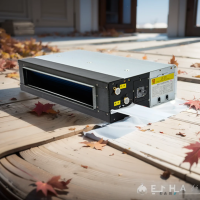
Proper wiring of a fan coil unit (FCU) is critical when installing a central HVAC system. Incorrect wiring can cause the unit to malfunction or even damage the LCD panel or three-speed switch, leading to unnecessary repair costs. In this guide, we’ll use YESNCER fan coil units to explain the standard wiring methods for both LCD control panels and three-speed rotary switches. A wiring diagram is also included to help you better understand the structure and layout.
Note: Wiring methods may vary between different manufacturers. Always refer to the wiring diagram provided by your specific brand. The following content serves as a general wiring explanation based on standard principles.

The FCU wiring terminal includes a yellow terminal (neutral), red (high speed), blue (medium speed), black (low speed), and an empty terminal (live).
On the LCD panel, you'll find terminals for neutral, live, high speed, medium speed, and low speed.
Connect the neutral wire from the 220V power supply to the yellow terminal.
Connect the live wire to the empty terminal.
Use a 5-core wire:
Yellow → LCD panel neutral terminal
Empty terminal (live) → LCD panel live terminal
Red → LCD panel high speed
Blue → LCD panel medium speed
Black → LCD panel low speed
Connect the neutral wire from the power supply to the panel neutral terminal.
Connect the live wire to the panel live terminal.
Use a 4-core wire:
LCD panel neutral → Fan coil yellow terminal
LCD panel high speed → red terminal
LCD panel medium speed → blue terminal
LCD panel low speed → black terminal
The fan coil wiring terminal also includes yellow (neutral), red (high speed), blue (medium speed), black (low speed), and one empty terminal.
The rotary switch includes:
Live terminal
High speed
Medium speed
Low speed
Connect the neutral wire from the 220V power supply to the yellow terminal.
Connect the live wire to the empty terminal.
Use a 4-core wire:
Live wire (from empty terminal) → rotary switch live terminal
Red wire → switch high speed
Blue wire → switch medium speed
Black wire → switch low speed


With this guide, you should be able to wire your fan coil unit switch safely and correctly. If you're ever unsure, always consult the manufacturer's wiring diagram or a certified technician.